
Overview
UPS Freight provides Less-Than-Truckload (LTL) shipping services for large, heavy, or palletized shipments that are not suitable for standard parcel. Unlike parcel services, freight pricing is based on freight class, which is primarily determined by shipment density, rather than package dimensions alone. UPS Freight supports multiple transportation options, including ground, air, rail, and ocean, depending on the service and destination.
UPS Freight (LTL) Pricing
UPS Freight rates are calculated using several key factors:
- Freight class (NMFTA classification)
- Total shipment weight
- Origin and destination (shipping distance)
- Accessorial services (such as liftgate, residential delivery, or inside delivery)
Unlike parcel carriers, UPS Freight follows the National Motor Freight Traffic Association (NMFTA) classification system, which standardizes how freight is priced across the LTL industry.
Freight Classes
Freight classes reflect how difficult a shipment is to transport. There are 18 standard NMFTA freight classes, ranging from Class 50 (least expensive) to Class 500 (most expensive). The easier the freight is to handle, the lower its classification. High-risk cargo is typically given higher classifications. Learn more about that here.
Calculate Freight (LTL) Rates
To calculate freight rates in Shipbridge, you must enable the relevant freight services and provide all required freight details for your shipments.
Enable Freight (LTL) Rates in Shipbridge
To enable freight rates in Shipbridge:
- Go to Menu > Options > Rates.
- Enable Use freight rates.
- Click Save.
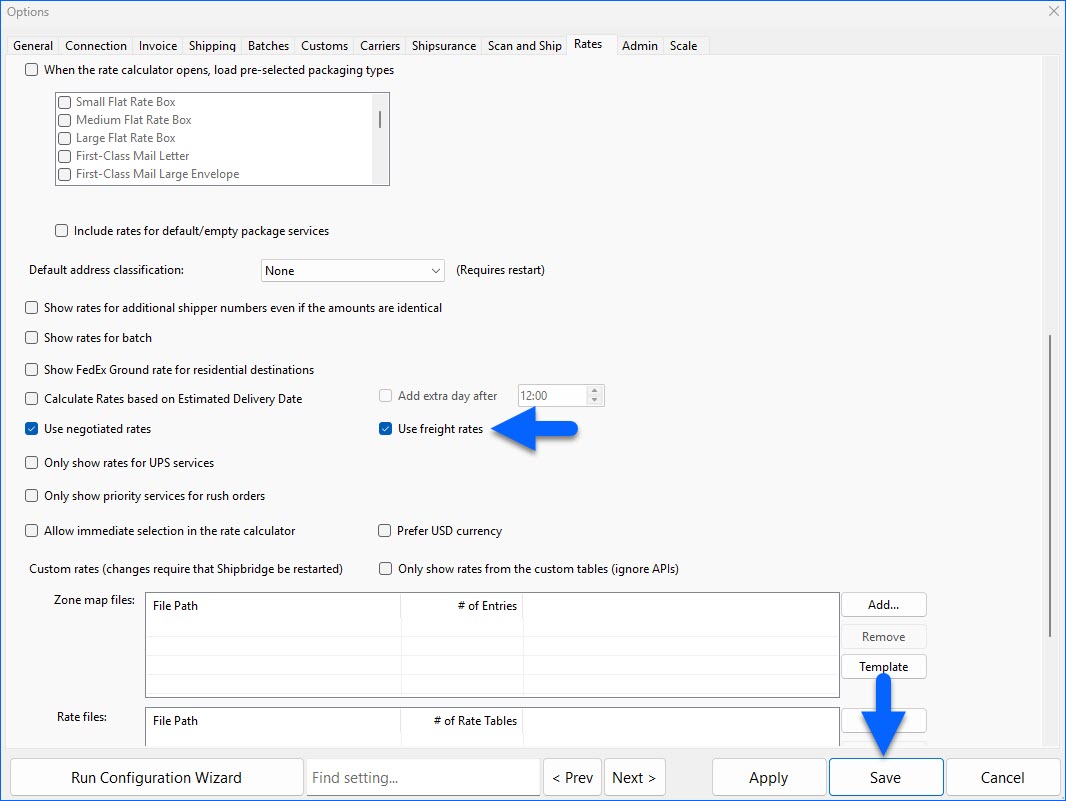
While Shipbridge can now calculate freight rates, the freight class assignment is the shipper’s responsibility, unless you are using a negotiated contract that includes class determination.
Add Freight Information
Freight class is primarily determined by density (Total Weight/ Total Cubic Feet = Pounds per Cubic Foot). To accurately calculate UPS Freight rates in Shipbridge, the following shipment details are required:
- Weight
- Freight Class
- Number of pallets or handling units
- Dimensions (length, width, height)
- Cubic feet: auto-calculated from dimensions
- CWT: auto-calculated once weight is entered
To specify the Freight Class and other freight details:
- Left-click on an order in the Shipbridge grid.
- Click Edit Freight Information.
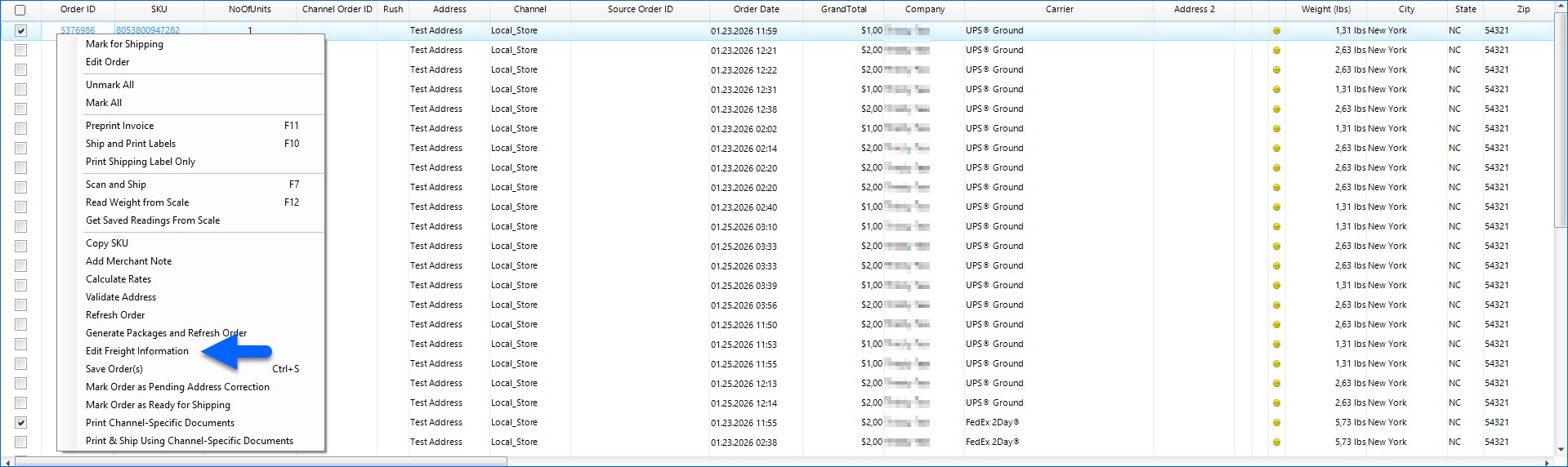
- In the Commodities tab, add and/or select the desired Freight Class.
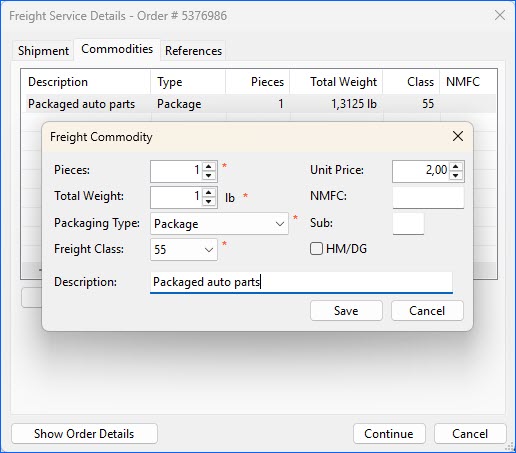
- Click Save & Continue.
- Next, go to Menu > Customize Interface > Shipping Services and ensure that the relevant UPS freight services are enabled.
Once enabled, Shipbridge automatically considers freight pricing, allowing you to compare standard vs freight rates in the rate calculator.