Overview
Walmart’s Multichannel Solutions (MCS) enable you to fulfill orders placed outside of Walmart Marketplace through Walmart Fulfillment Services. Eligible orders from other channels, including your own website, can be picked, packed and shipped from inventory stored at Walmart fulfillment centers. In Sellercloud, MCS are implemented as a fulfillment method known as Ship via WFS.
Prerequisites
Before you can use Walmart’s MCS through Sellercloud, complete the following requirements:
- You must be a Walmart Marketplace Fulfillment Services seller and have a default billing method on file for WFS fees.
- Your Walmart Marketplace Integration with Sellercloud must be active and fully operational. Review the WFS Workflow and WFS Inventory articles to understand how WFS orders and inventory are managed in Sellercloud.
WFS Inventory is updated based on the WFS Manage Inventory Report received from Walmart, which is not always delivered in real time. To minimize the risk of overselling on other channels, it’s strongly recommended to apply a Safety Qty to products fulfilled through WFS.
- Your Walmart Multichannel settings must be successfully configured, and the required channels must be set and ready for use. This can be done through Walmart Seller Central and through Sellercloud, as described in the following section.
MCS Sales Channels
MCS Sales Channels must be created to represent the external marketplaces, whose orders will be fulfilled using WFS inventory. These channels have to be synchronized between Sellercloud and Walmart MCS: channels created in Sellercloud must be uploaded to Walmart MCS, and channels created in Walmart Seller Center must be downloaded into Sellercloud.
Create and Upload MCS Sales Channels
To create a new MCS Channel through Sellercloud:
- Navigate to Settings > Companies > Manage Companies and select the required company.
- From its Toolbox, find Walmart Marketplace > MCS Sales Channels.
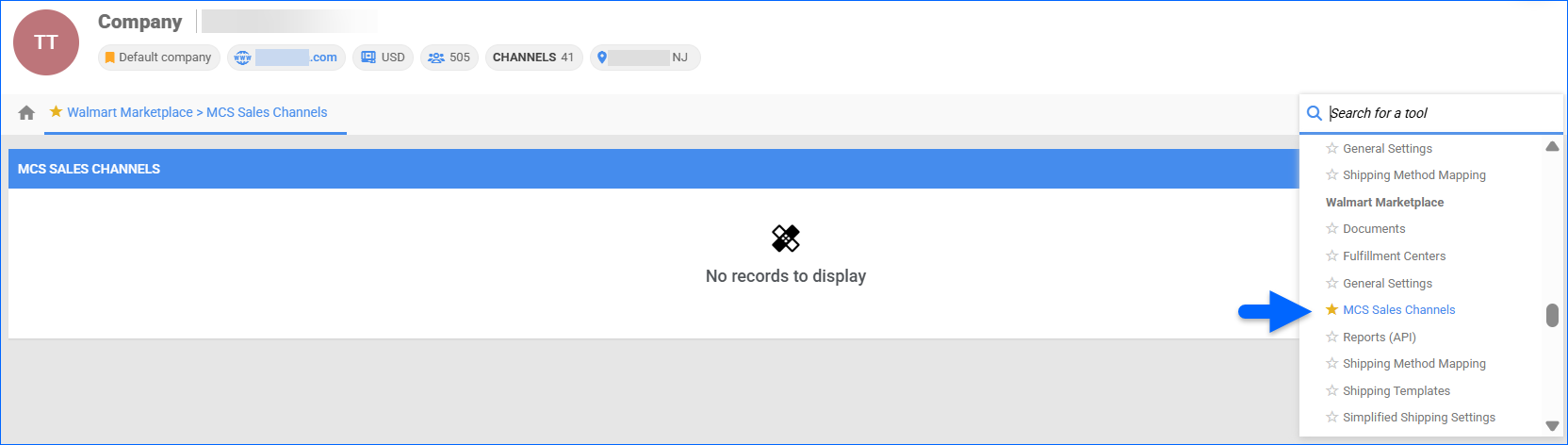
- Click the + sign in the MCS Sales Channels panel.

- Populate the required details in the Add Sales Channel pop-up.
- Once done, select either Save to create or update the sales channel in Sellercloud only, or Save & Post Sales Channel to save the channel and send the configuration to Walmart Multichannel Solutions.

Download MCS Sales Channels
If you have already configured your sales channels in Walmart’s Seller Center, you can download them into Sellercloud:
- Navigate to Settings > Companies > Manage Companies and select the required company.
- From its Toolbox, find Walmart Marketplace > MCS Sales Channels.
- Click the Download Sales Channels Details icon in the MCS Sales Channels panel.

Ship Orders via WFS
Your channel orders must first be available in Sellercloud before they can be submitted to Walmart for fulfillment. Once an order is transmitted to MCS, Walmart manages the full process, including inventory allocation, picking, packing, carrier selection, shipping, and tracking. Fulfillment status and tracking details are then sent back to Sellercloud for order updates and visibility.
To ship an order via WFS:
- Navigate to Orders > Manage Orders and select the required order.
- From the Actions menu, choose Ship via WFS.
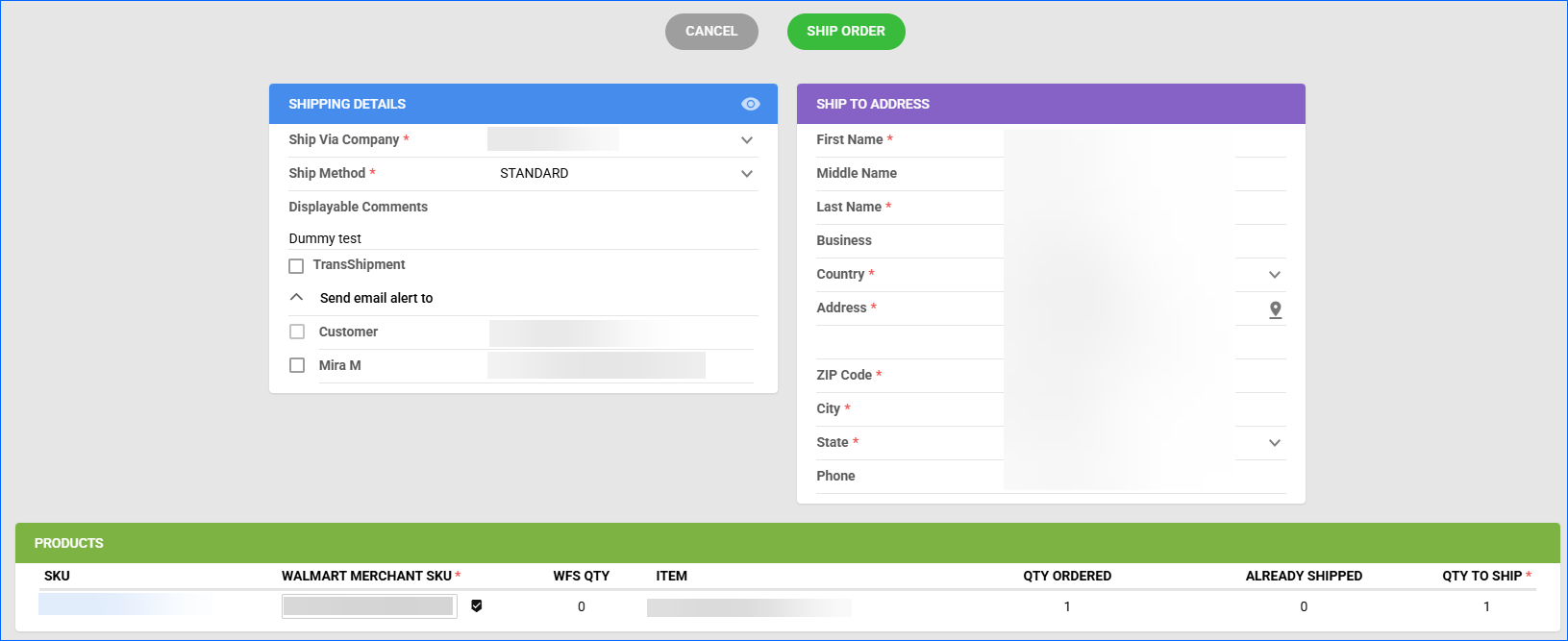
- Complete the Shipping Details and the Ship to Address mandatory information, and verify the ordered Products.
- Once done, click Ship Order.